
Search...
Menu
Update License
Download
1 View License
Prerequisites
- The UniSpace management node has been installed.
Steps
Step 1: Click Home → Trial License in the lower left corner to view the validity period.![]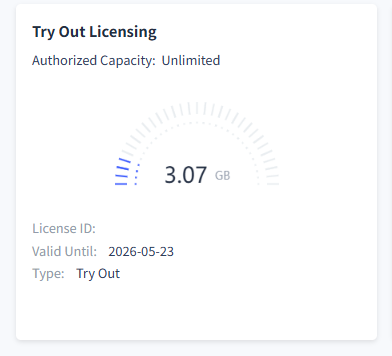
- Import License
Prerequisites
- UniSpace has generated the license key file Licence_2026-xx-xx.key.
Steps
Step 1: Click System Settings → **System ** → License, then click the Update License button.!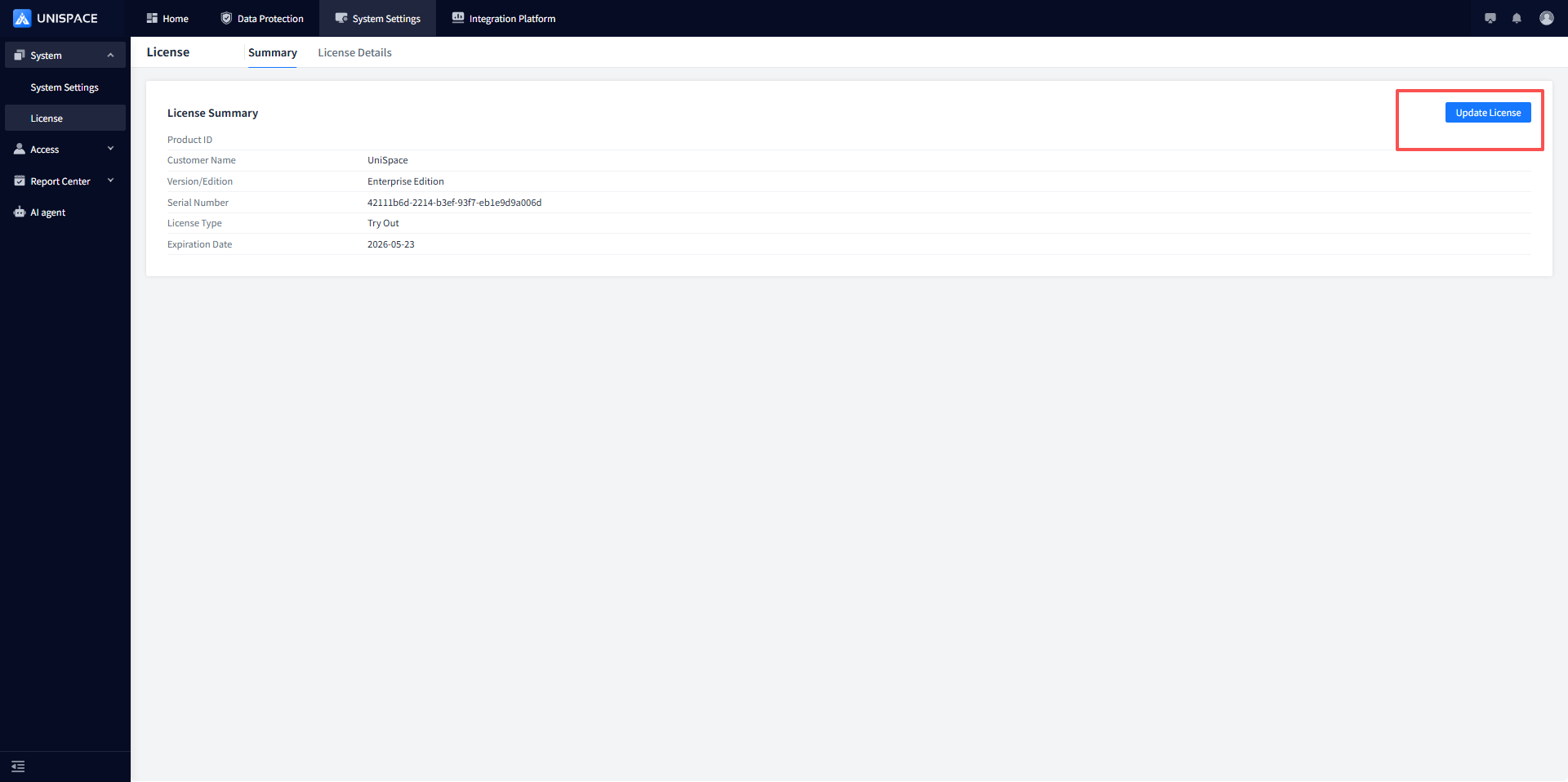
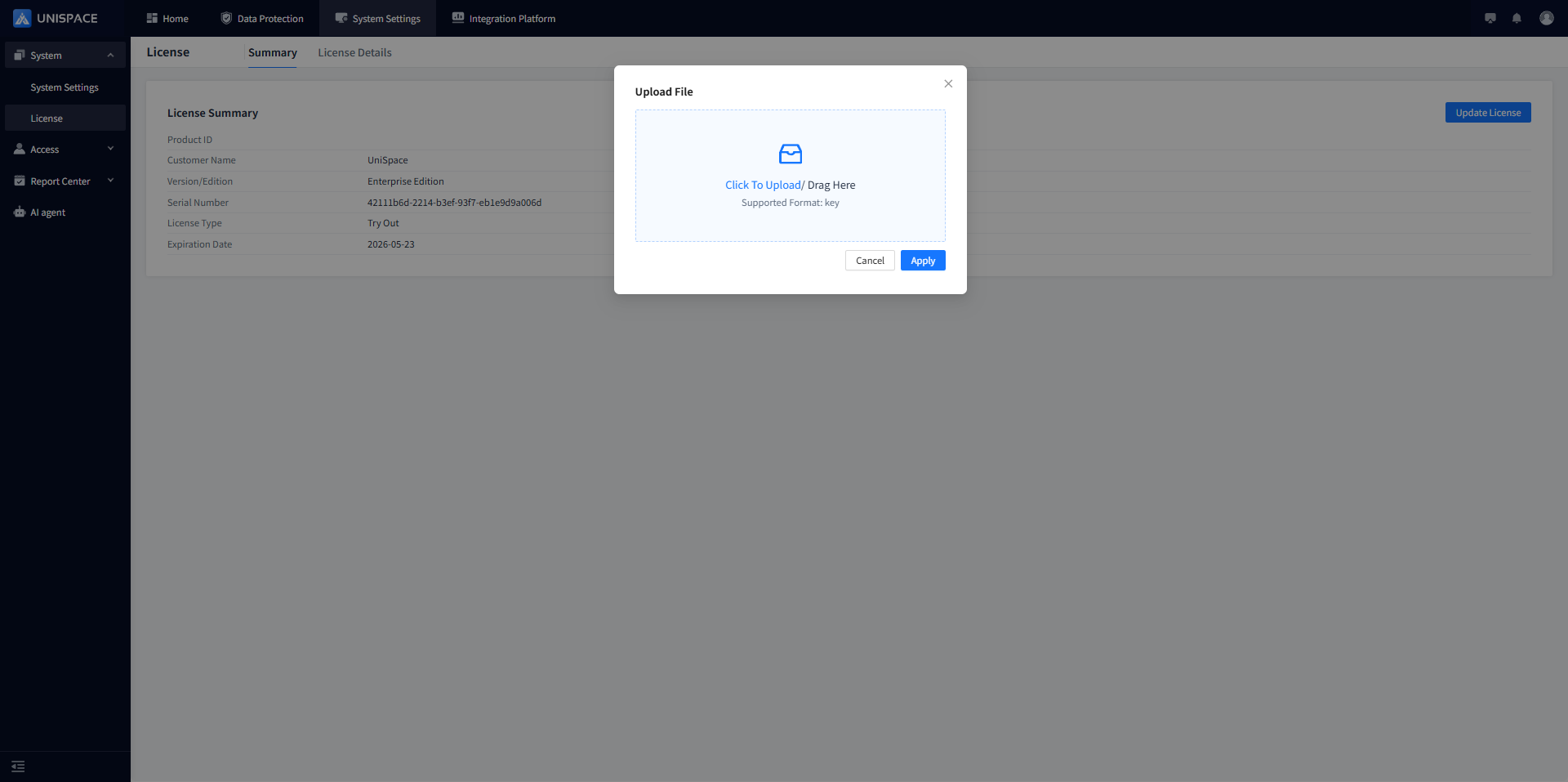
Step 2: Drag and drop or upload the Licence_2025-xx-xx.key file, click Apply, and the import will be successful.
Check
Step 1: Check the updated expiration time.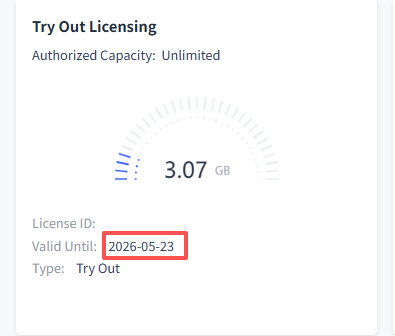
Step 2: The validity period on the homepage will be updated.
Previous
Server or Client Upgrade
Next
Requirements and Configuration of Storage Nodes
Last modified: 2026-03-30