
Search...
Menu
Changing the Port Number for Meta Server or Client
Download
Change Port Number
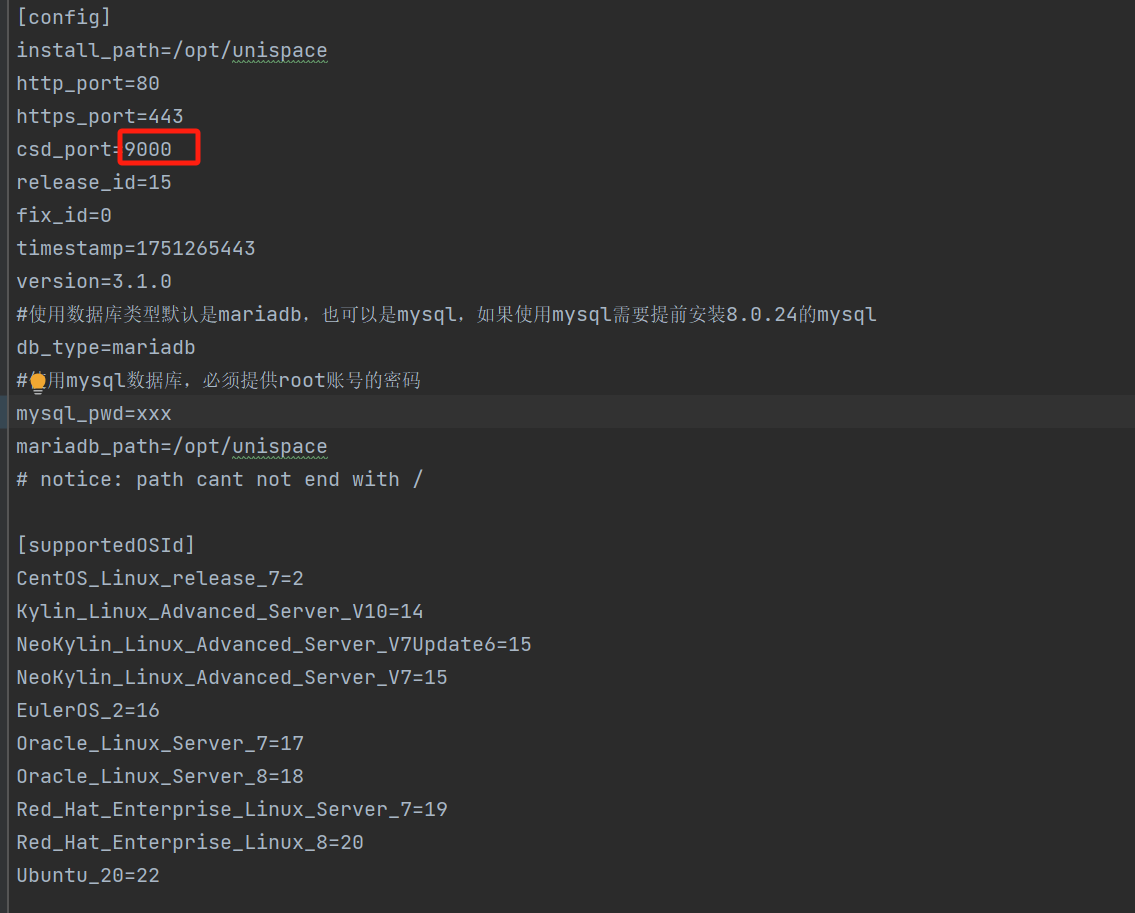
1 Change the Meta Server port before installation
Step 1
Modify the install.conf file for Meta Server. It is located in the us-server-xx installation package.
2 Change the client port
Step 1
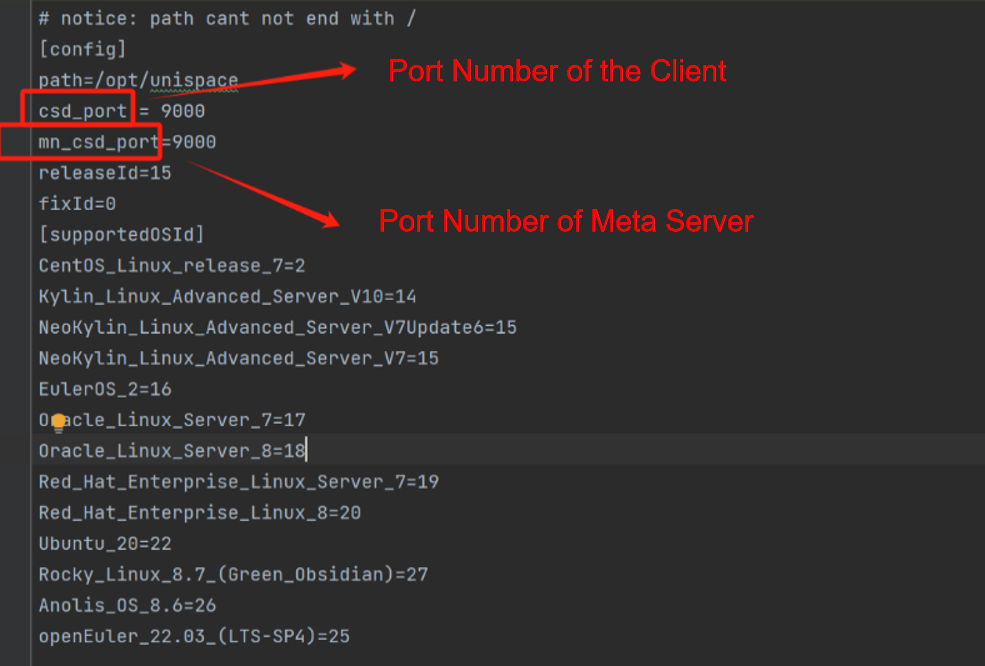
Modify the config/cn.init file on the client side.
For version 2.6, you need to copy unis\_cn and cn.init from the latest agent package into the installation directory.
If the Meta Server port has not been changed, leave it at the default port 9000.
Note:
If you find after installation that port 9000 is already in use, update cn.init on the client side, then run the unis\_cn installation/registration command again.
The command must be exactly the same as the one used previously.
After that, update the port number in the database.
#Log in to the database
mysql -uusadmin -p
use mndb;
UPDATE node_client SET csdPort = 900x WHERE hostName = '192.168.xx.xx';
Previous
Changing Node Port Numbers
Next
Changing the Log Level
Last modified: 2026-03-29