
Search...
Menu
Restore by Job
Download
Restore by Job
Updated:2025-11-05 17:00
Note: Incremental file recovery based on job can only restore incremental backup files, not all files. This is only supported after version 3.2.
Prerequisites
- An index backup has been made.
- The index has been restored to the replica server and the restored files moved to the correct index directory.
- The default copy server or services such as ISD are unavailable
Steps
Step 1 Click [Backup Set] > [Restore by Job]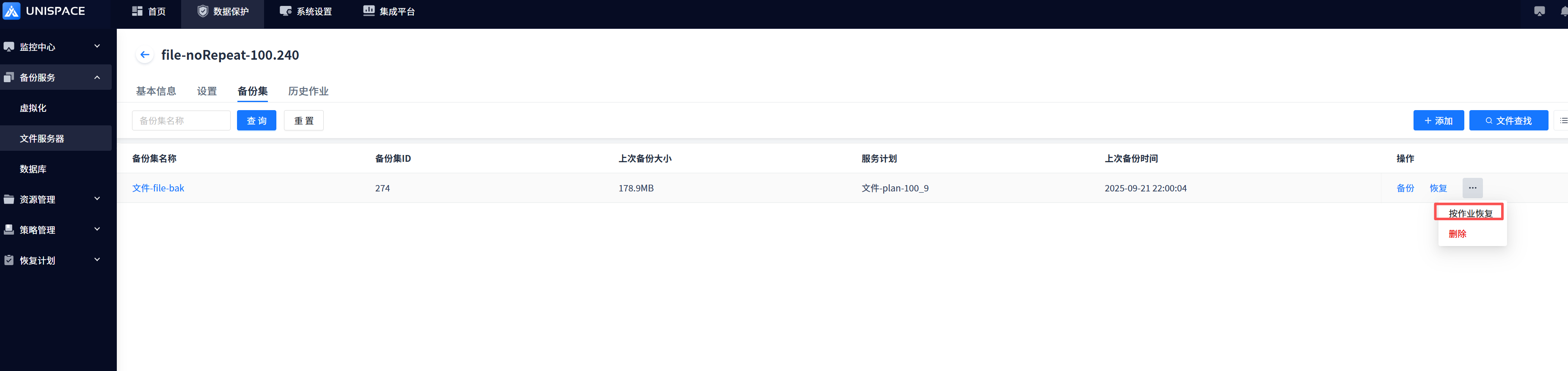
Step 2 Select the restore point and choose to restore from the copy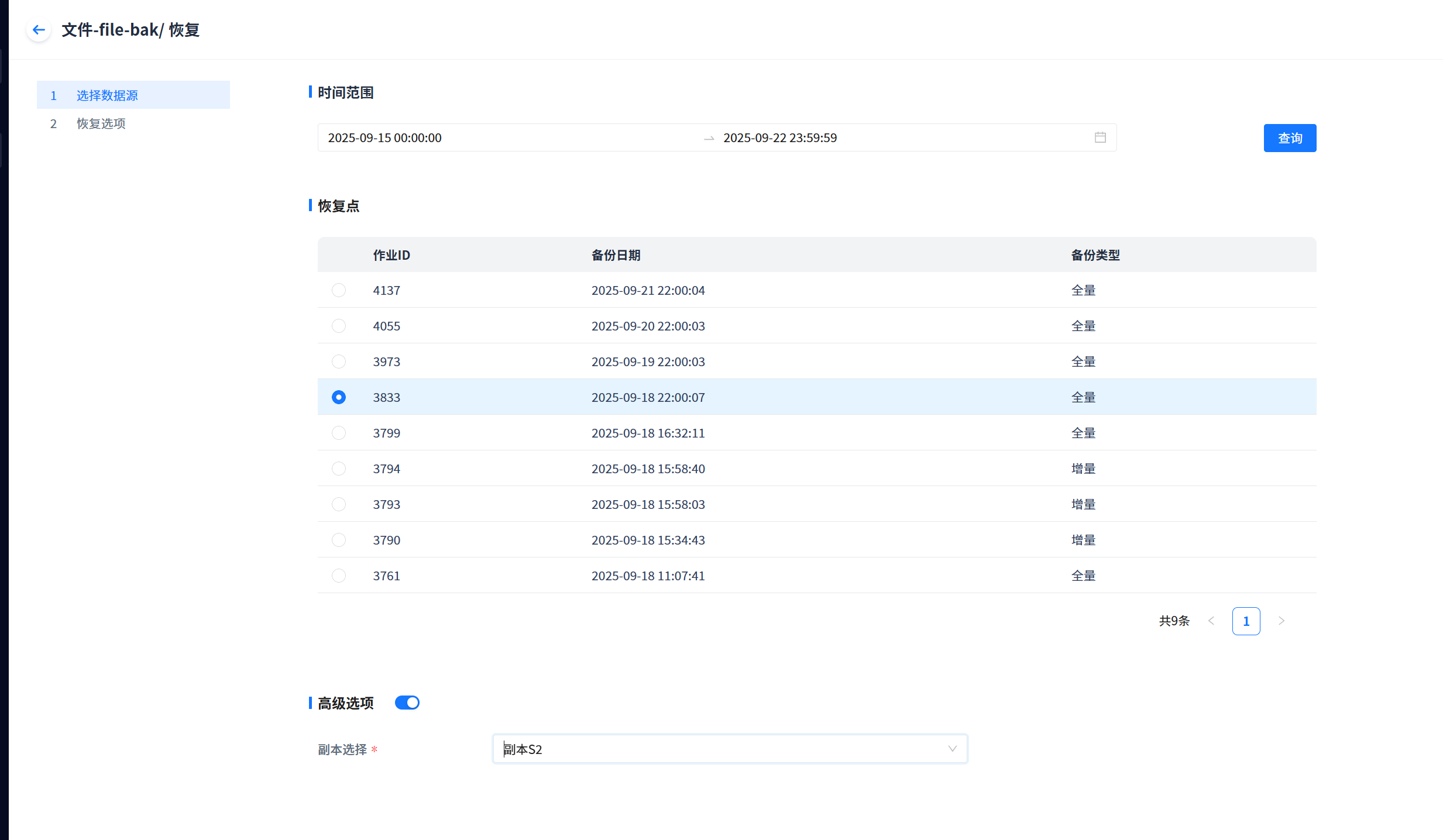
Step 3 Choose in-place or out-of-place recovery and complete the restore options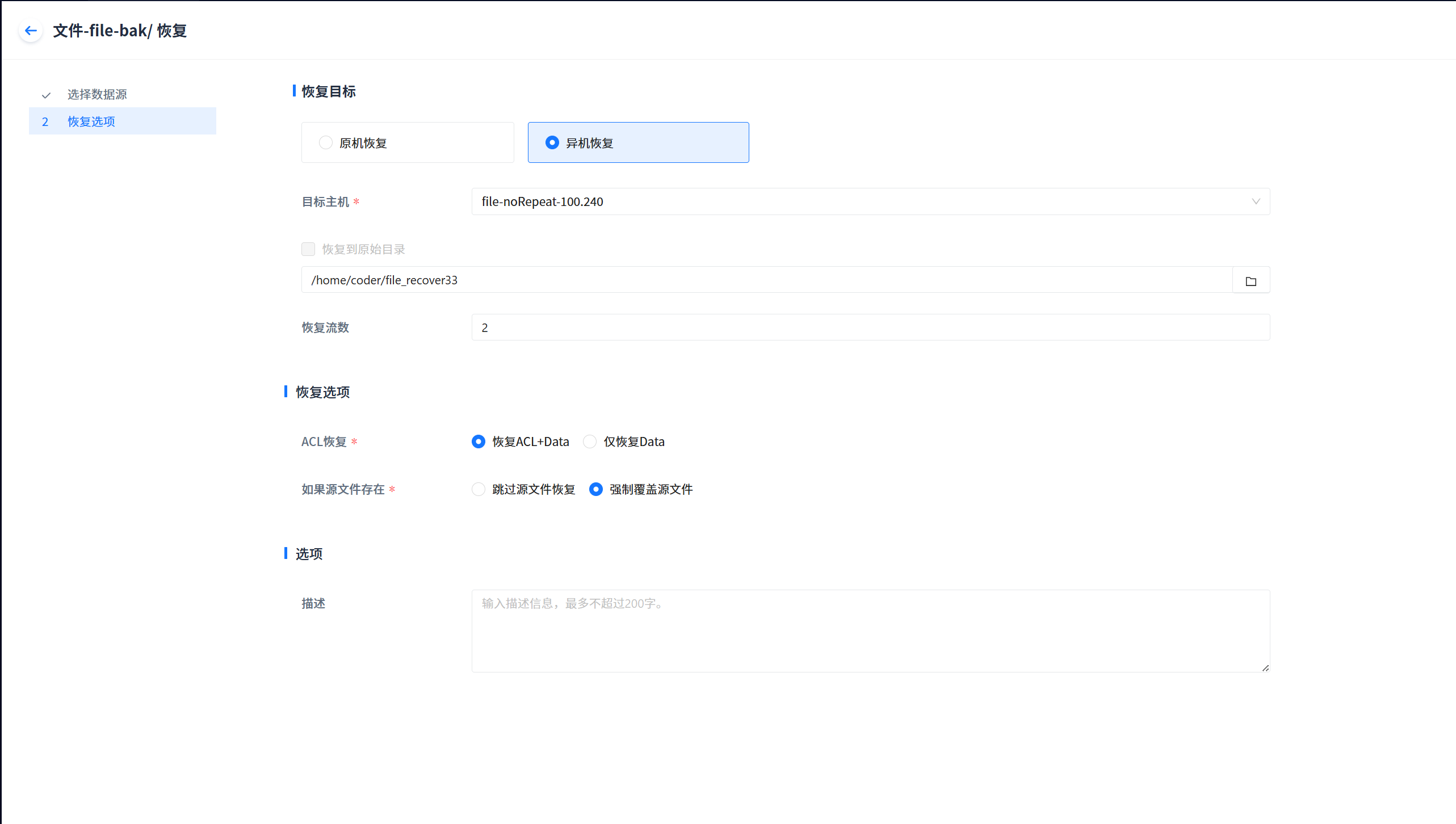
Step 4 Job recovery is completed and files are restored correctly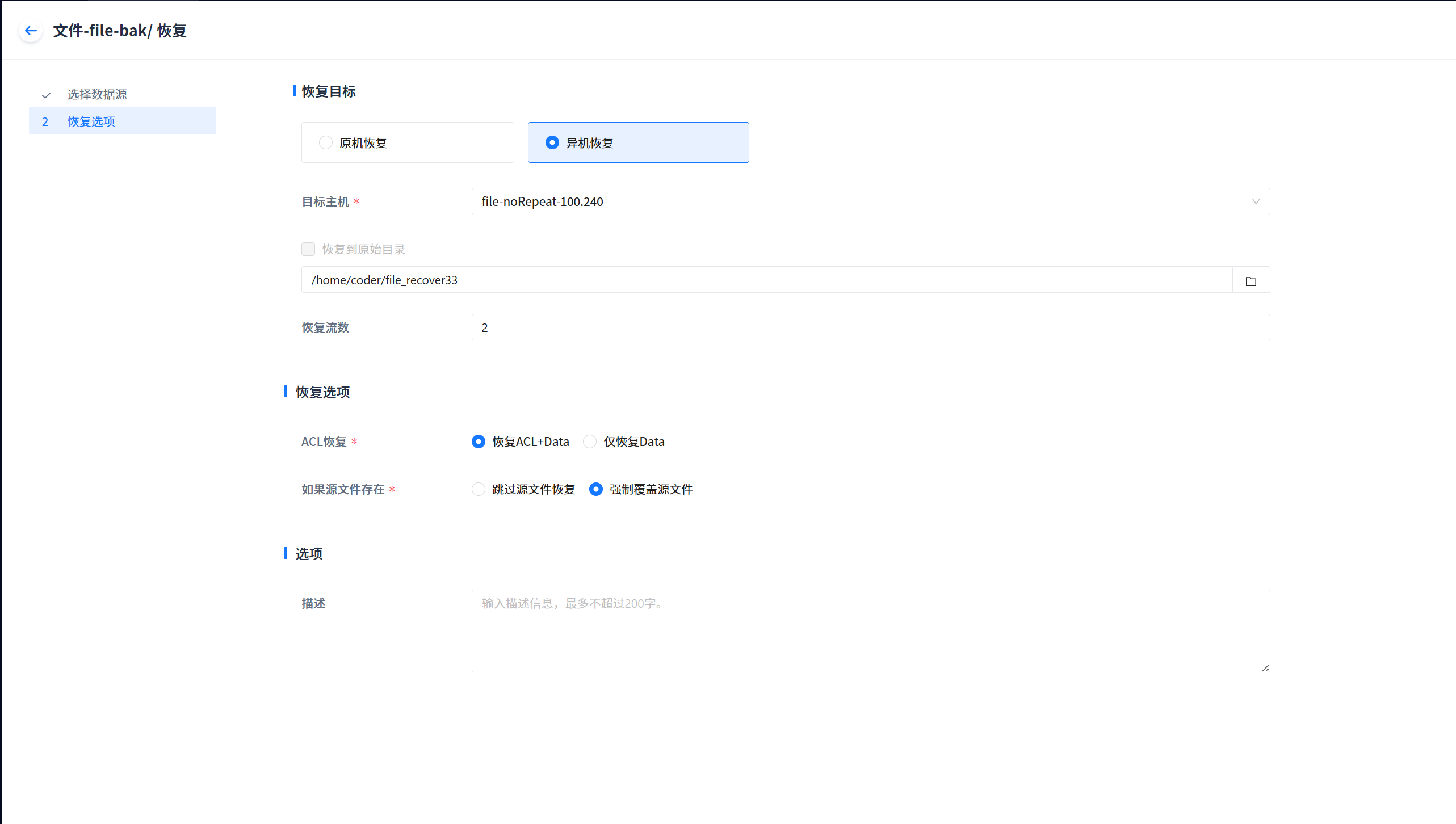
Previous
Operation Audit
Next
Installing Dependency Packages on Access Nodes for Virtualized File Recovery
Last modified: 2026-03-29