
Resource Groups
Resource Groups
Updated:2025-07-15 14:40
1.1 All registered client types (including virtualization platforms and virtual clusters)
The default resource group is named default![]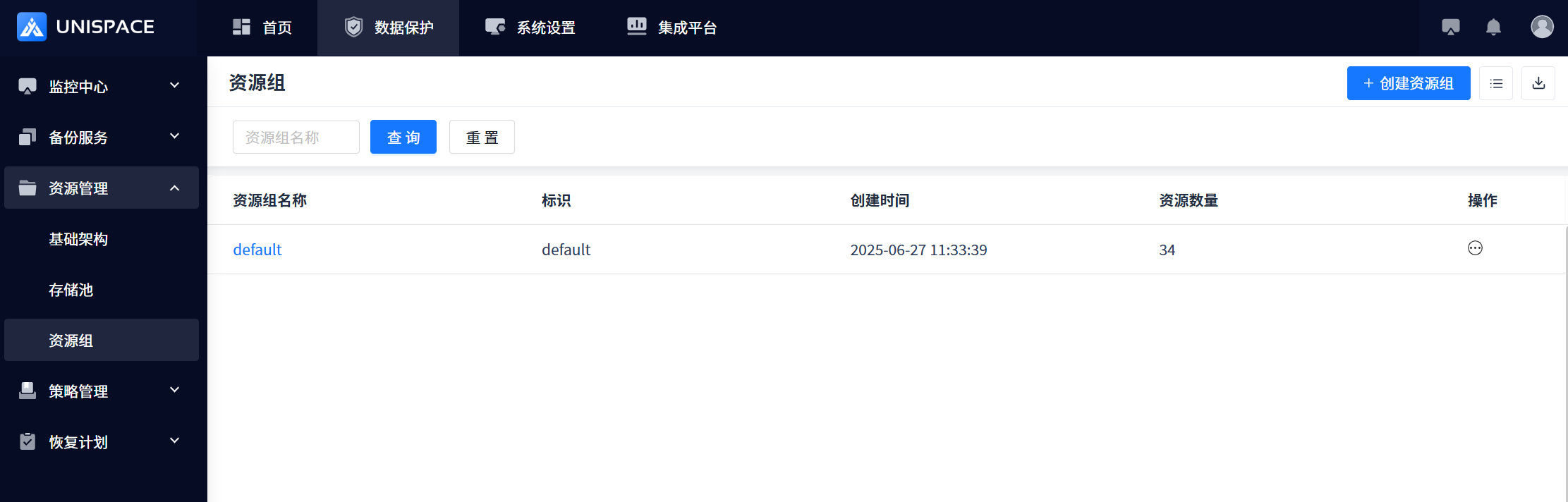
Enter the default resource group
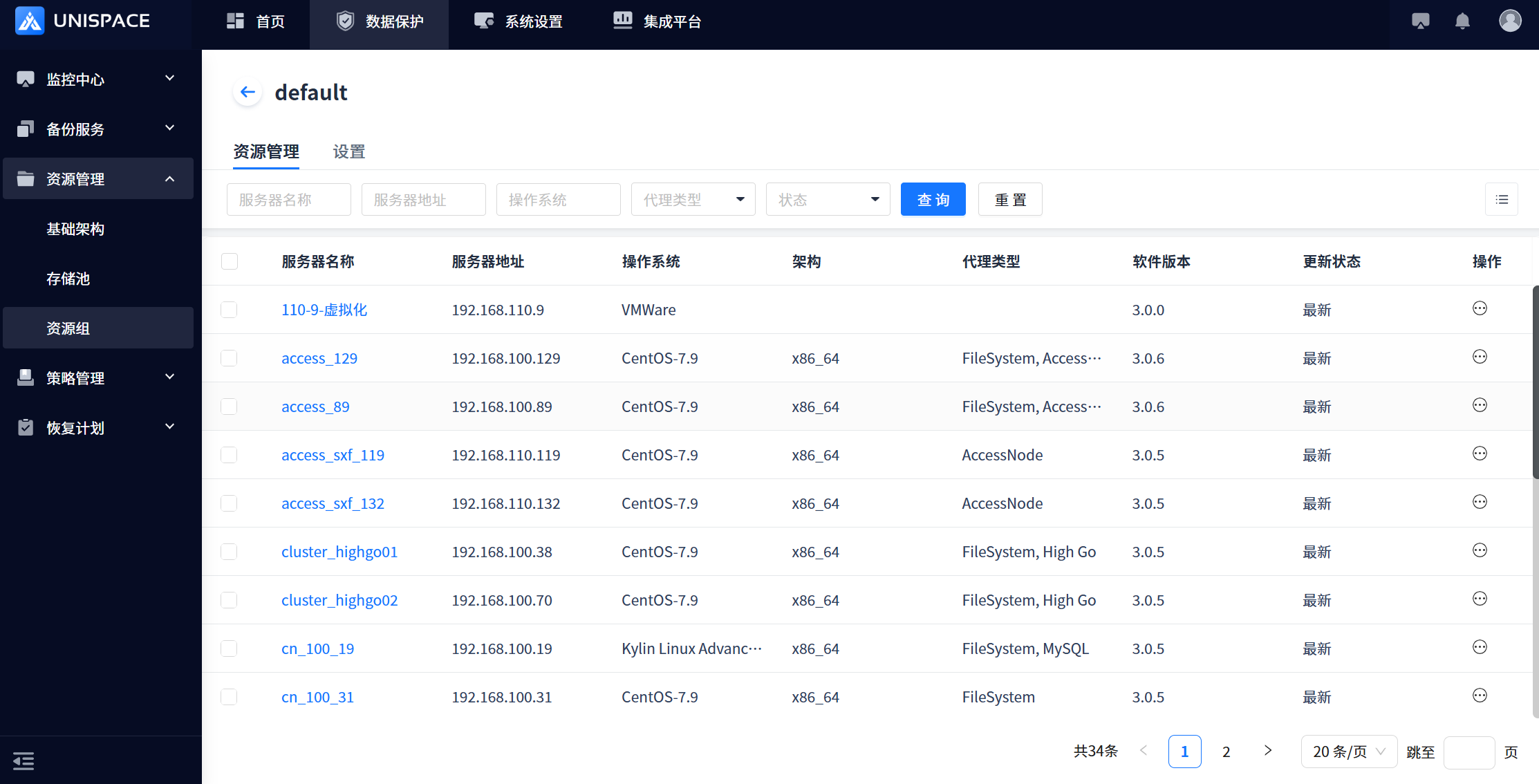
1.2 Create a Resource Group
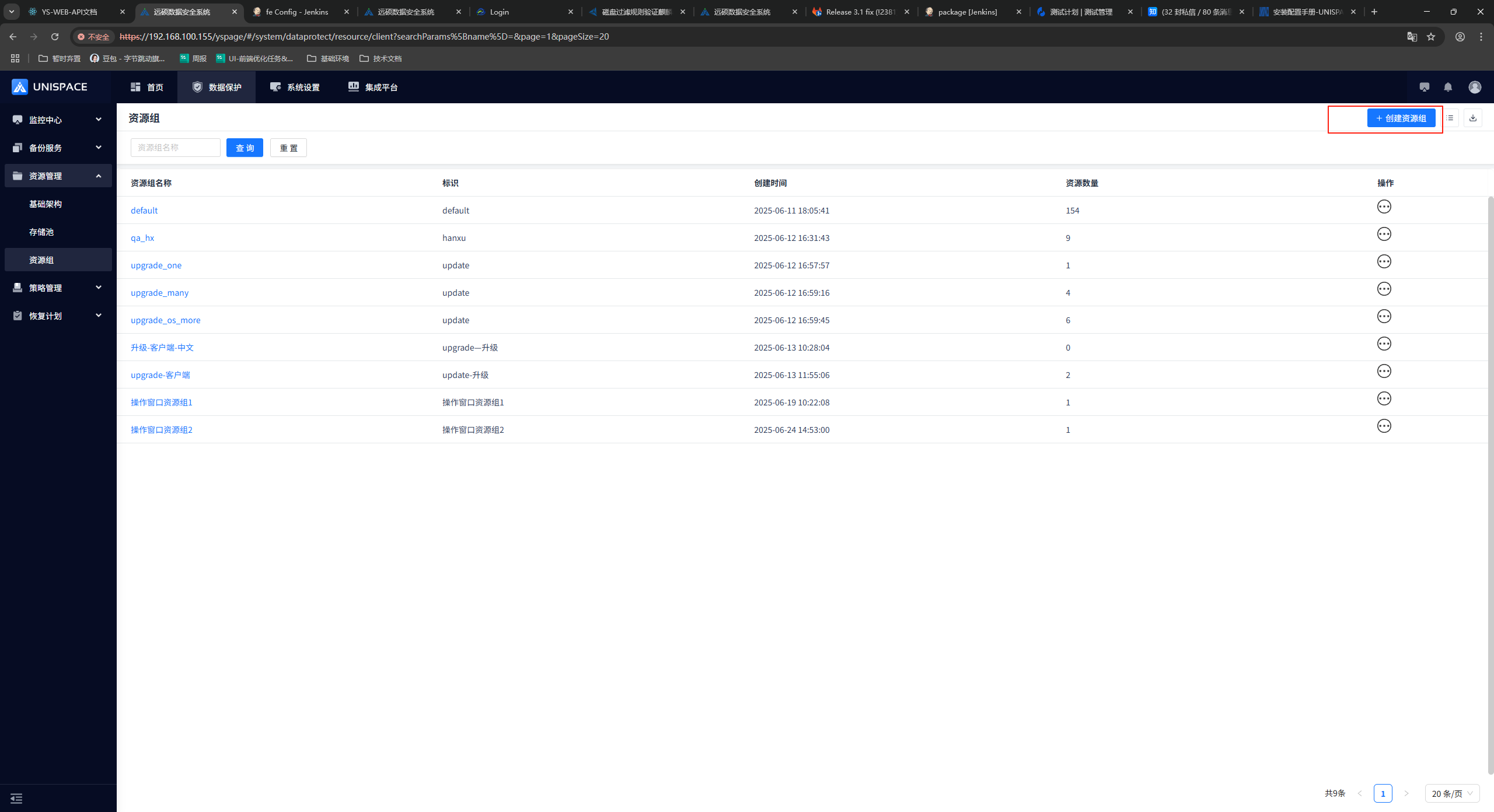
Enter resource groupName and resource group identifier
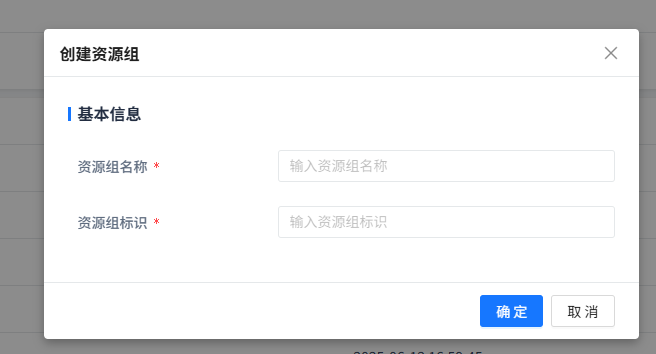
1.3 Create a Resource Group
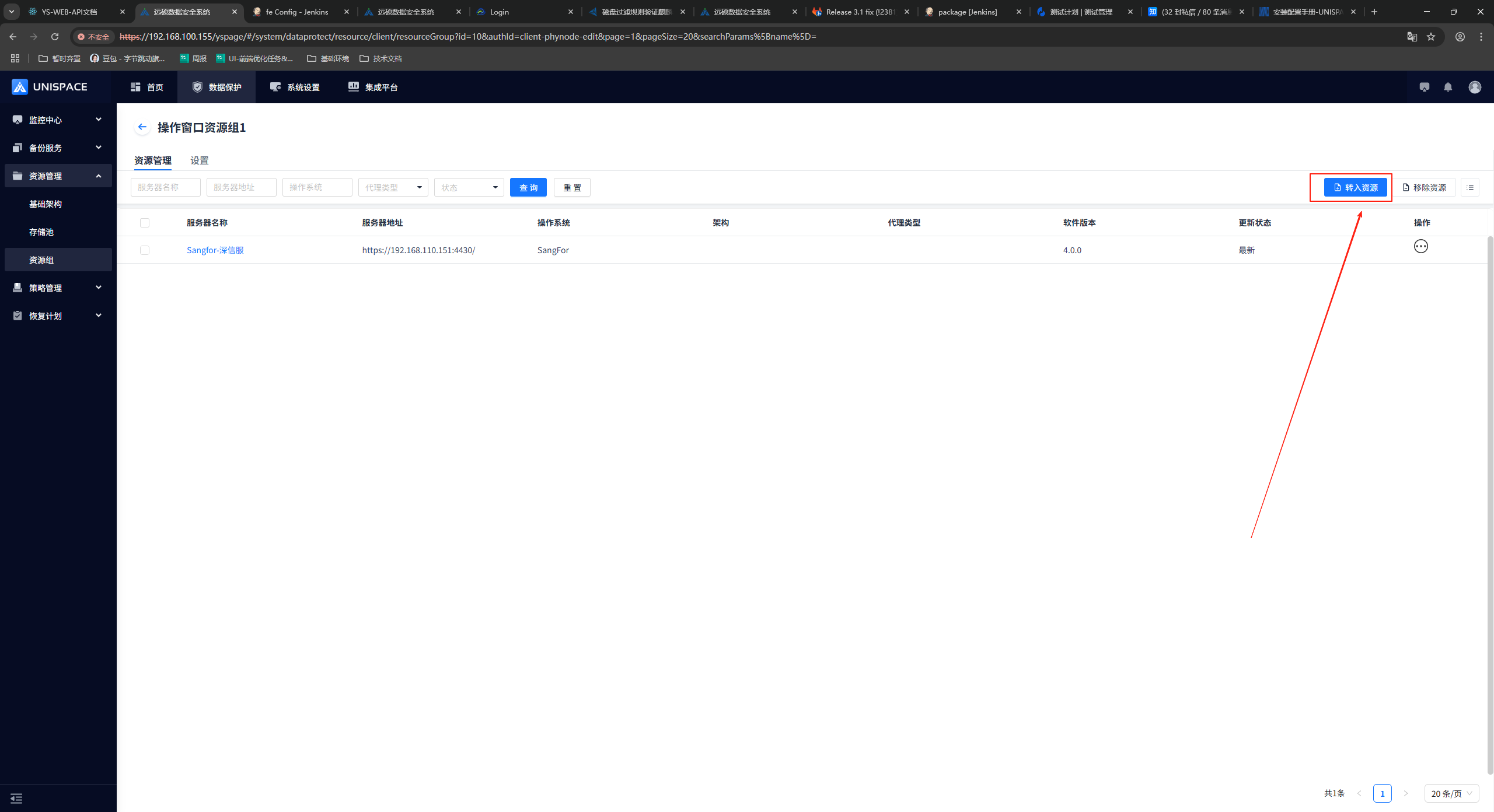
After entering the new resource group, you can click Transfer Resources as shown below to add resources.
You can also check the corresponding resource on the page to remove the resource.
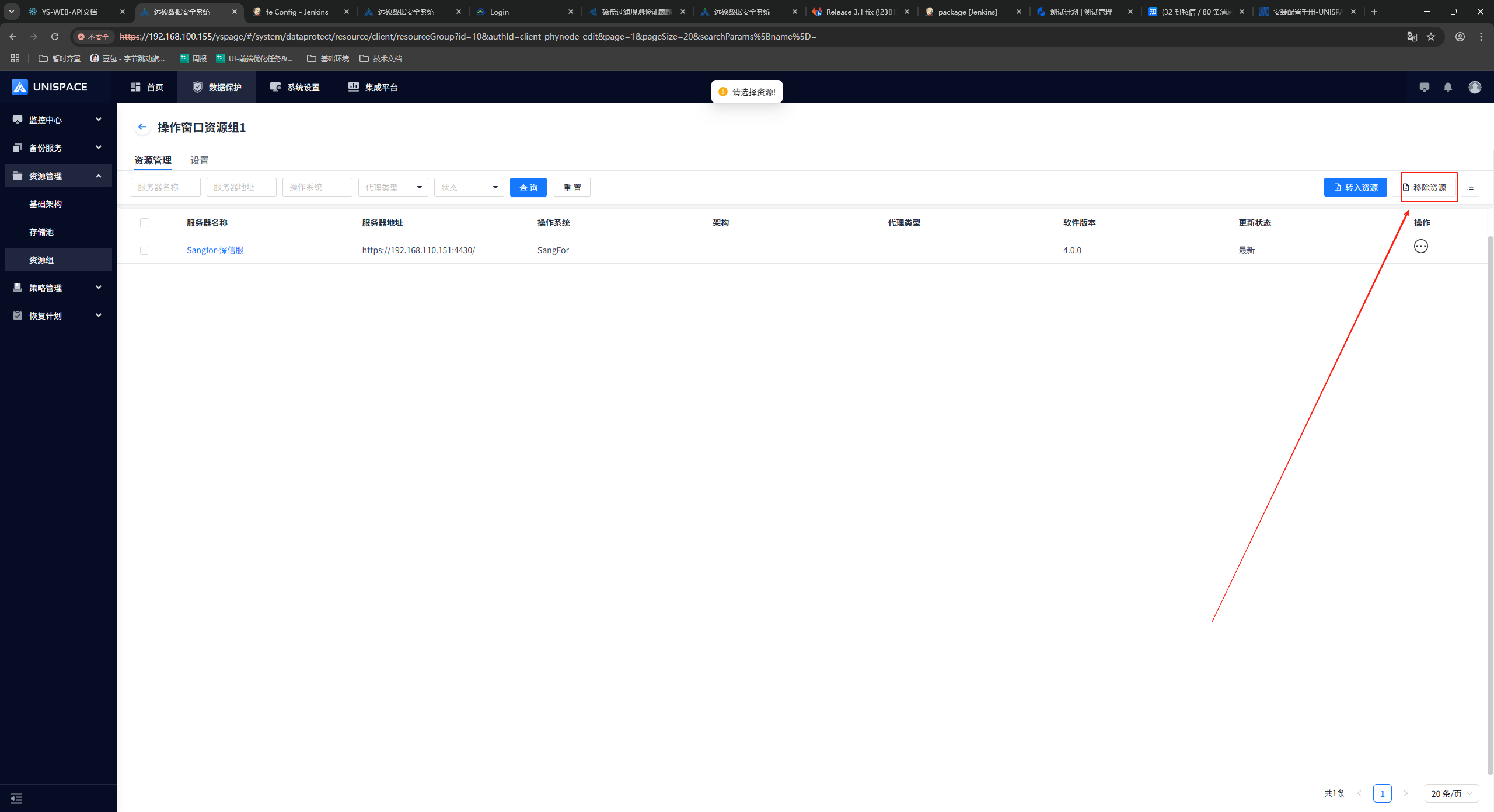
A single resource can belong to multiple resource groups
1.4 operation window
After entering the resource group, you can configure the operation window on the settings page (3.1 only supports virtualized backup, **3.2 In addition to windows, **Jinwu and the rest are supported): During the operation window, the virtualized backup job within the operation window will enter the blocked pending → blocked state; the job that enters the blocked state cannot be manually continued and needs to wait for the end of the operation window time range before the job automatically resumes execution or the job is manually terminated.
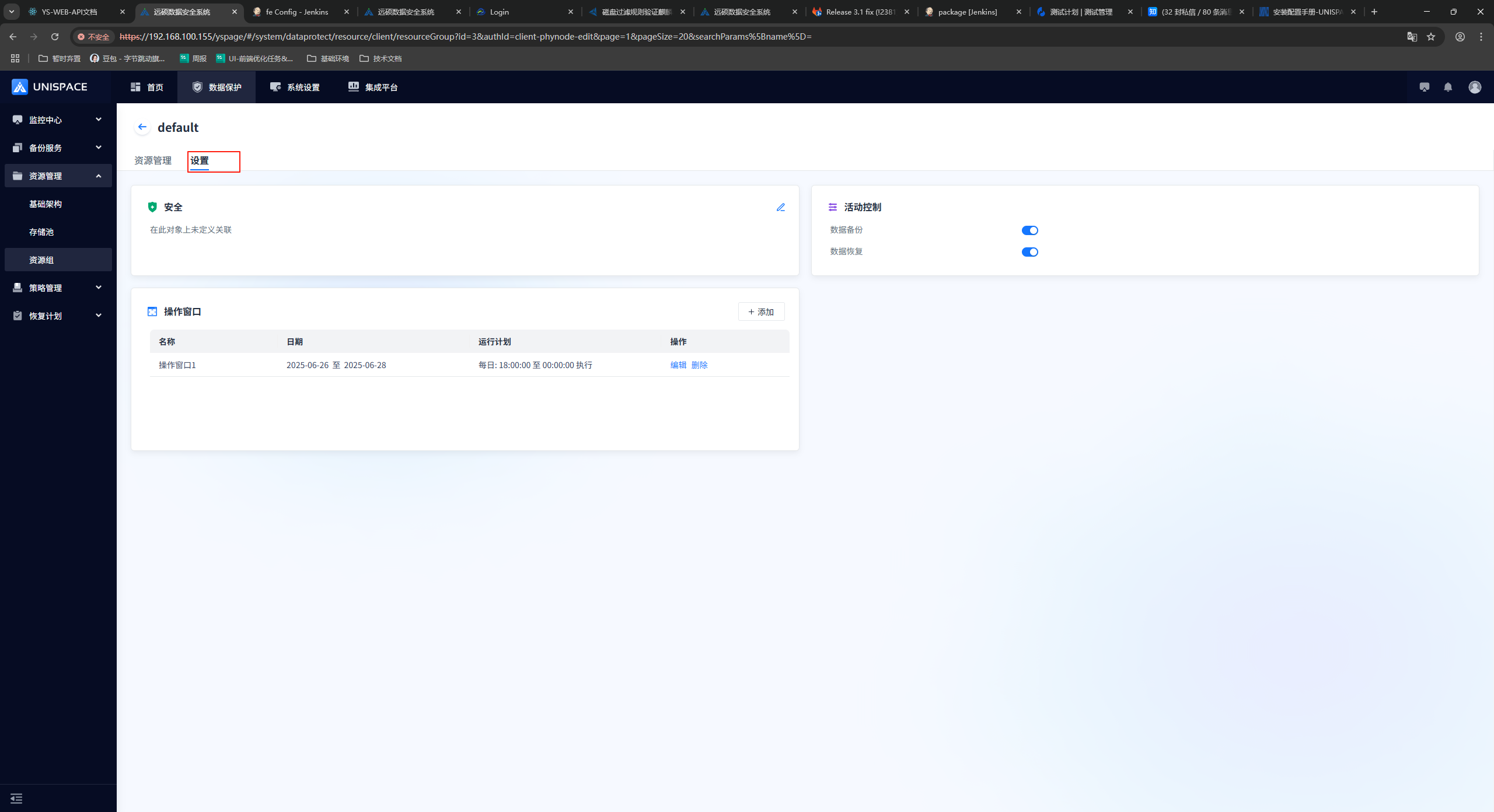
Note: 1) If the job is blocked for more than 20 minutes and does not enter the blocking state, it will become a blocking timeout.
2) If you want the backup job to be controlled by the operation window, you need to add the virtualization platform or database to this resource group as in 1.3. In the same way, all backup jobs on the platform will be controlled by the operation window.
3) If the resource is in multiple resource groups, and each resource group has an operation window configuration, all backup jobs of the resource will be controlled by all operation windows.
1.5 Modify the Agent Type
After entering the resource group, enter default (3.2 When registering the client, the -a parameter is not required. The client type can be modified as follows ):
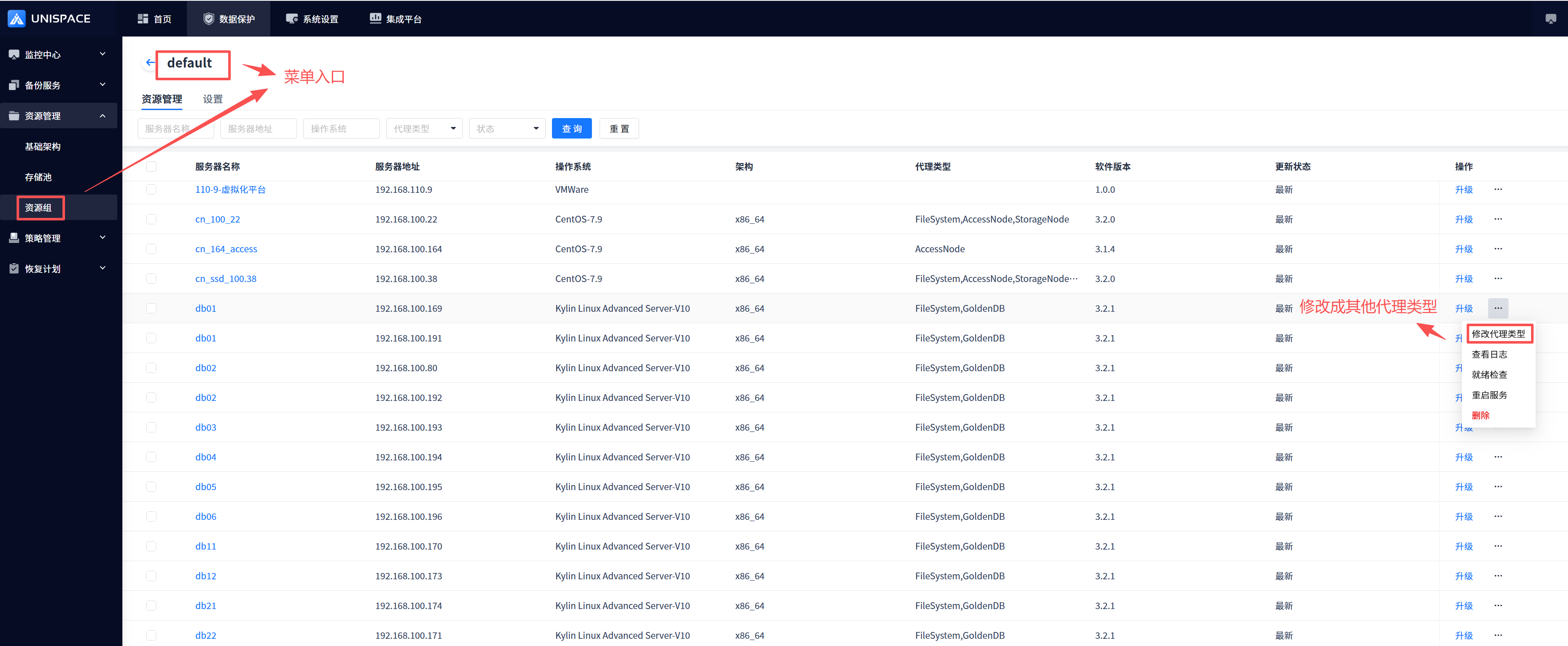
Note: 1) It will be registered as a file type by default
2) Storage and access Once this proxy type is added, deletion is not allowed
3) After the page is modified, you need to manually restart the service on the client