
Search...
Menu
Troubleshooting Failed Jobs
Download
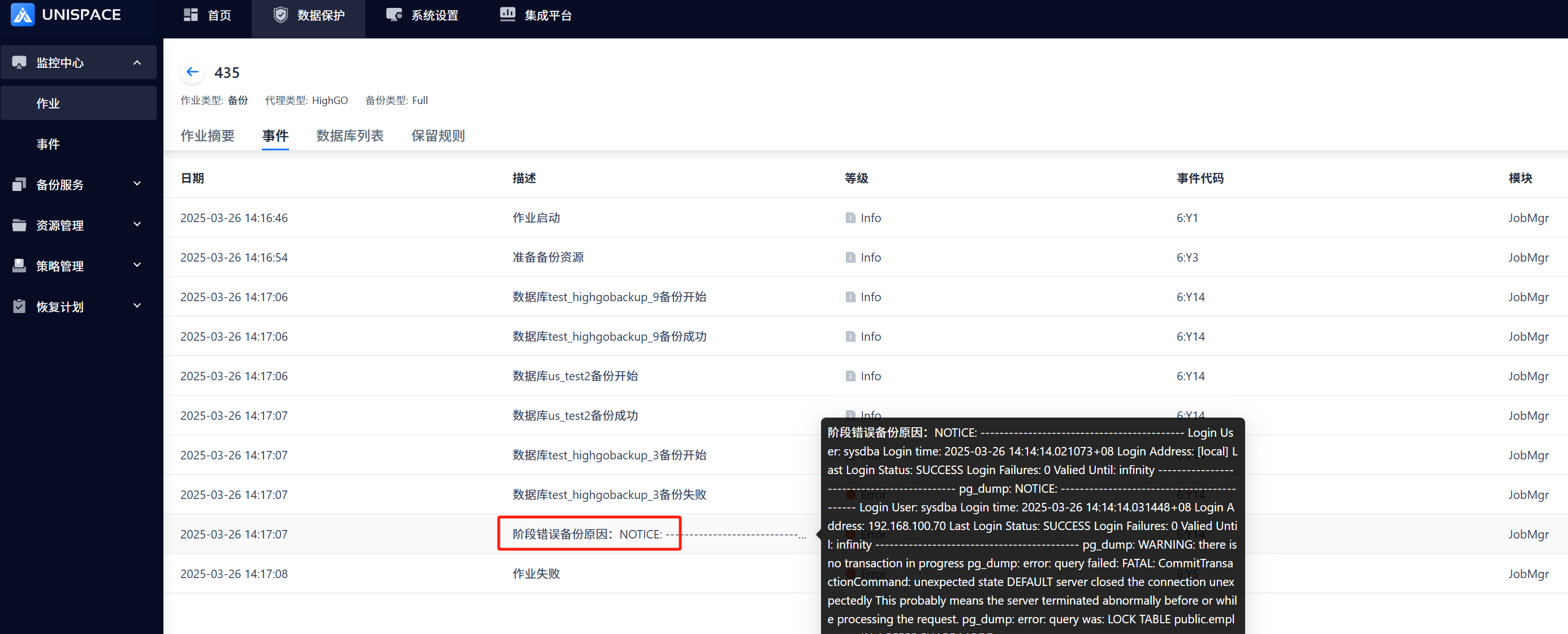
1 For failed database-type jobs, you can check the events in the job history. The failure event notification is shown in the figure below:
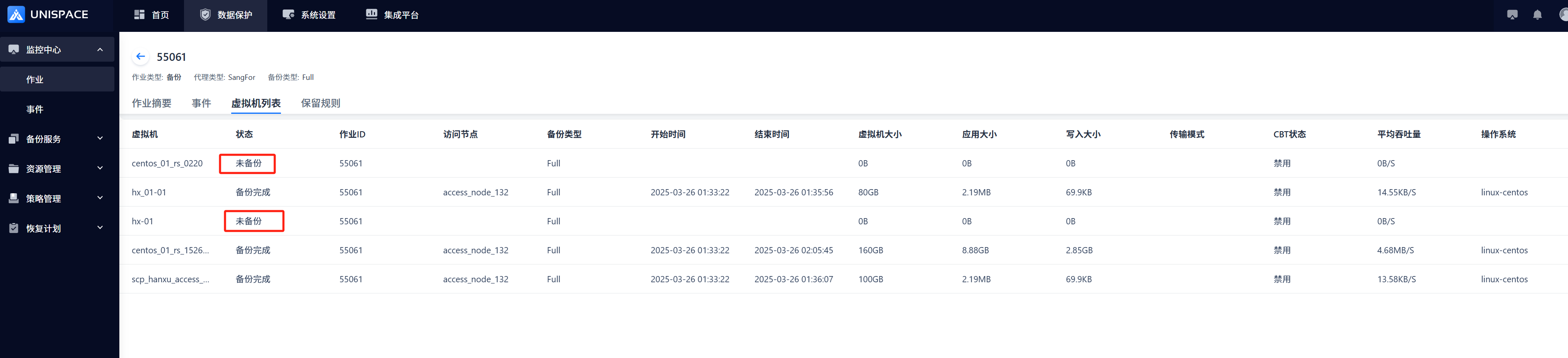
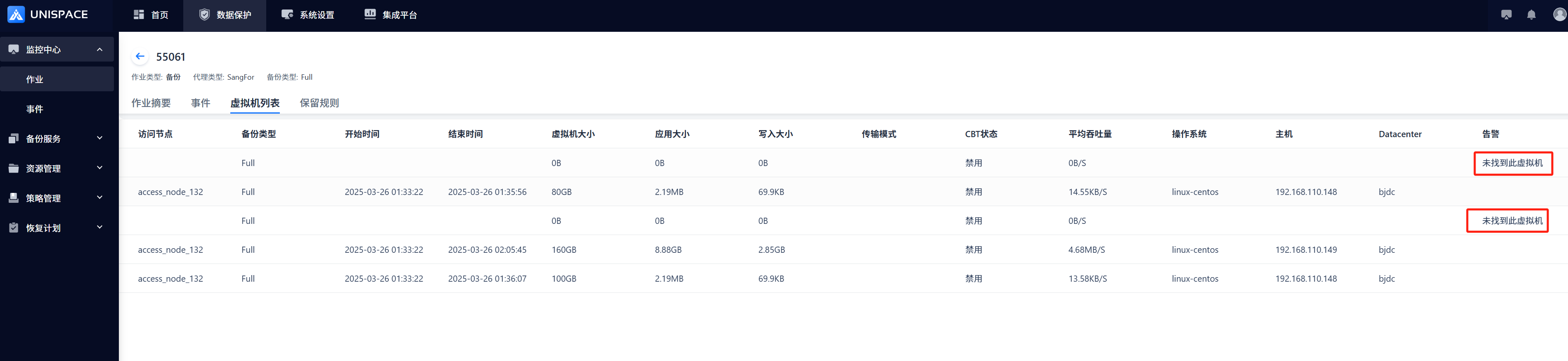
2 For failed virtualization jobs, you can also check the virtual machine list.
3 If no event notification is found in the above steps, query the event_log on the management server using the job ID. The default directory is /opt/unispace/log/event_logs. Locate the log file for the corresponding date and match the job ID as follows:
# 2025_03_26_*.log is the date-specific log, and 443 is the failed job ID
cat 2025_03_26_*.log | grep ",433,"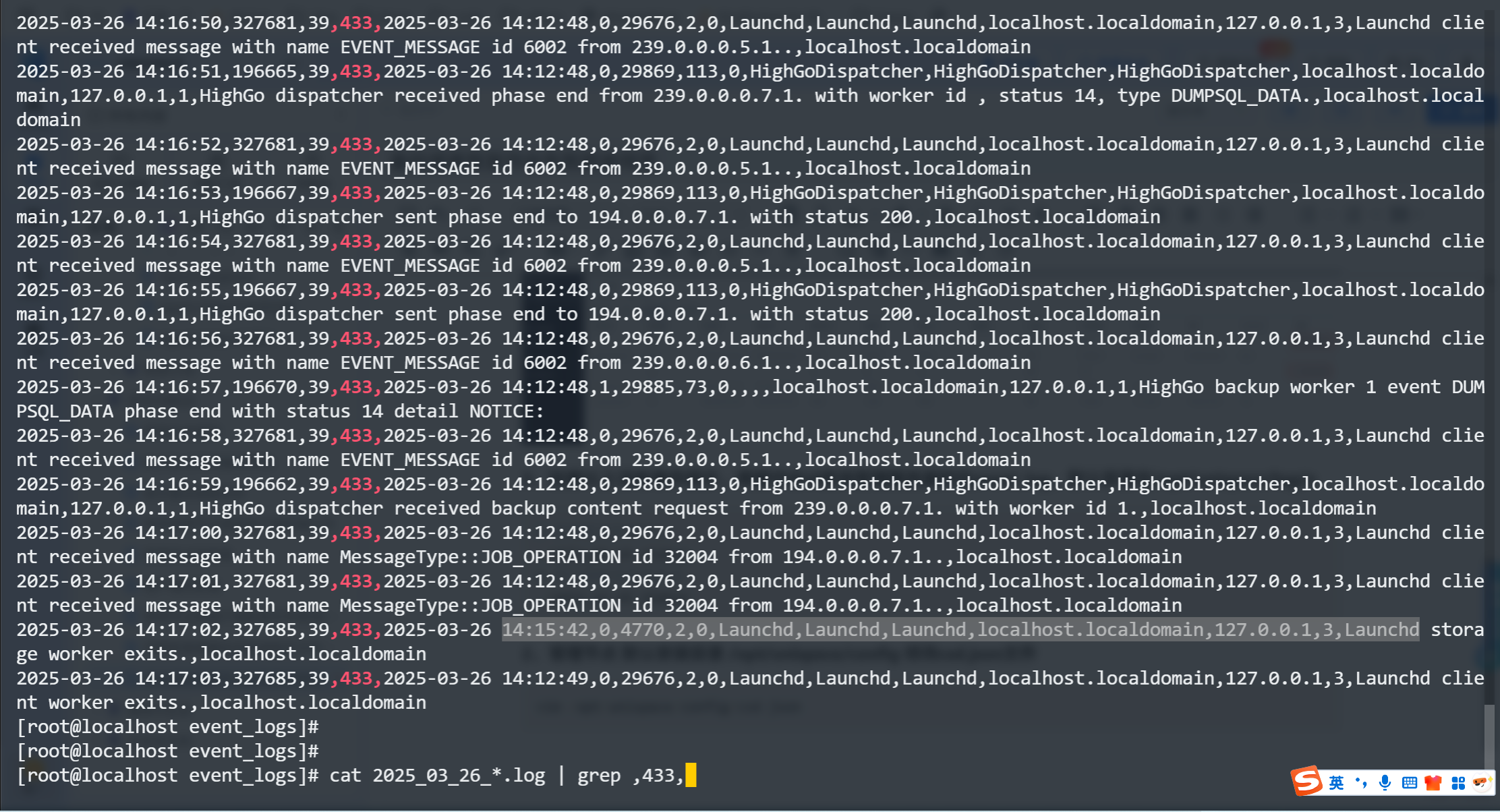
4 If no event notifications are found in Steps 1 and 2, please provide the logs from Step 3 along with the version you are using. This will help us quickly investigate the issue for you.
Previous
Installing Dependencies for Virtual File Recovery on Storage Nodes
Next
Fixing MariaDB Installation Issues on Meta Server
Last modified: 2026-03-29