Service Plan Configuration
1.1 Create a New Service Plan
The document was last updated on 2025-11-05 14:45
Prerequisites
- The related storage pool information must be properly configured.
Steps
Step 1 Click Policy – Service Plan on the left side of the system interface.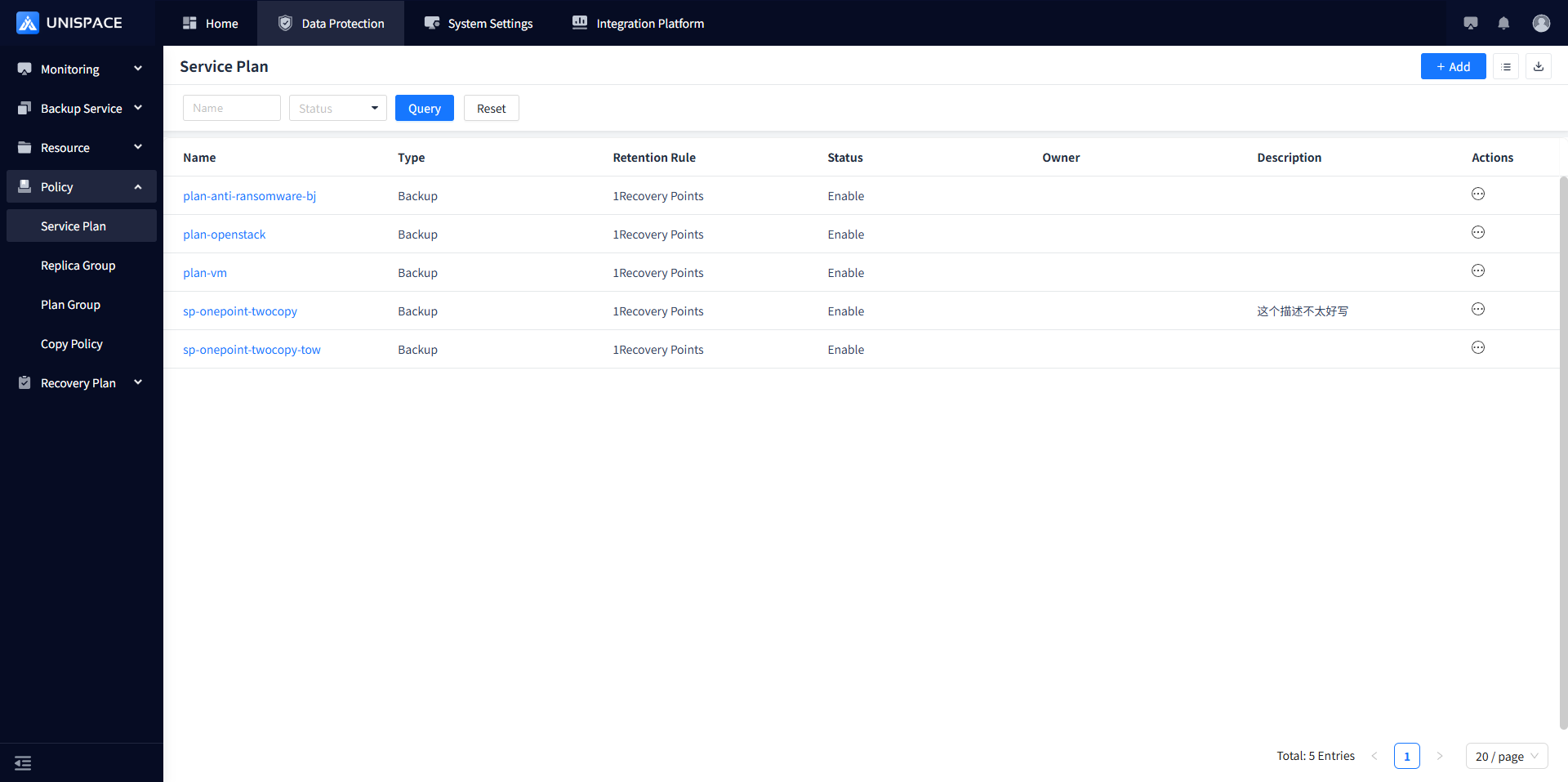
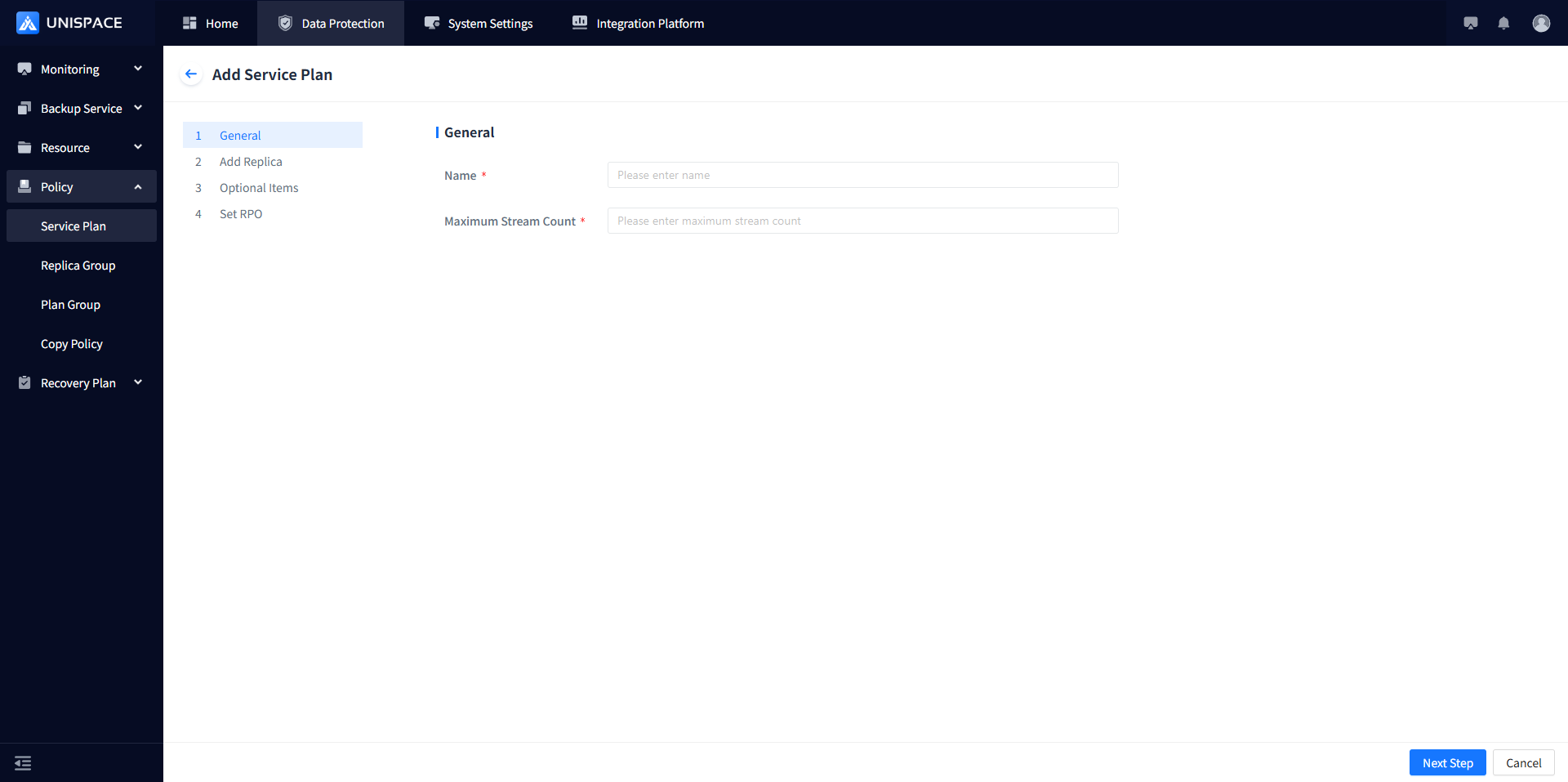
Step 2 Click the Add button icon. The page will appear as follows:
- Enter a Name (customizable, maximum length 50 characters)
- Set the Maximum Stream Count (positive integer, range 1–200)
Step 3 Click the Next Step button.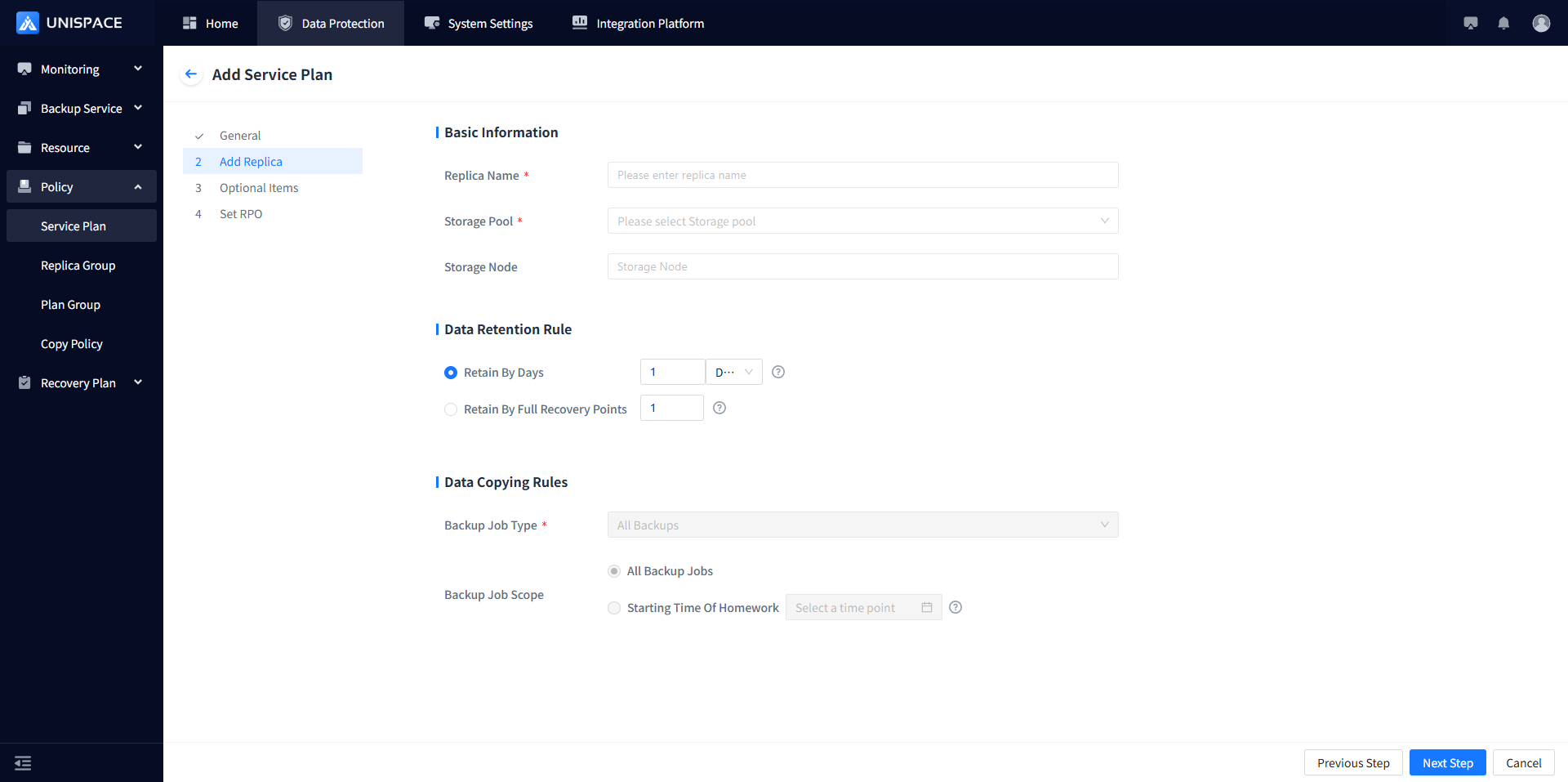
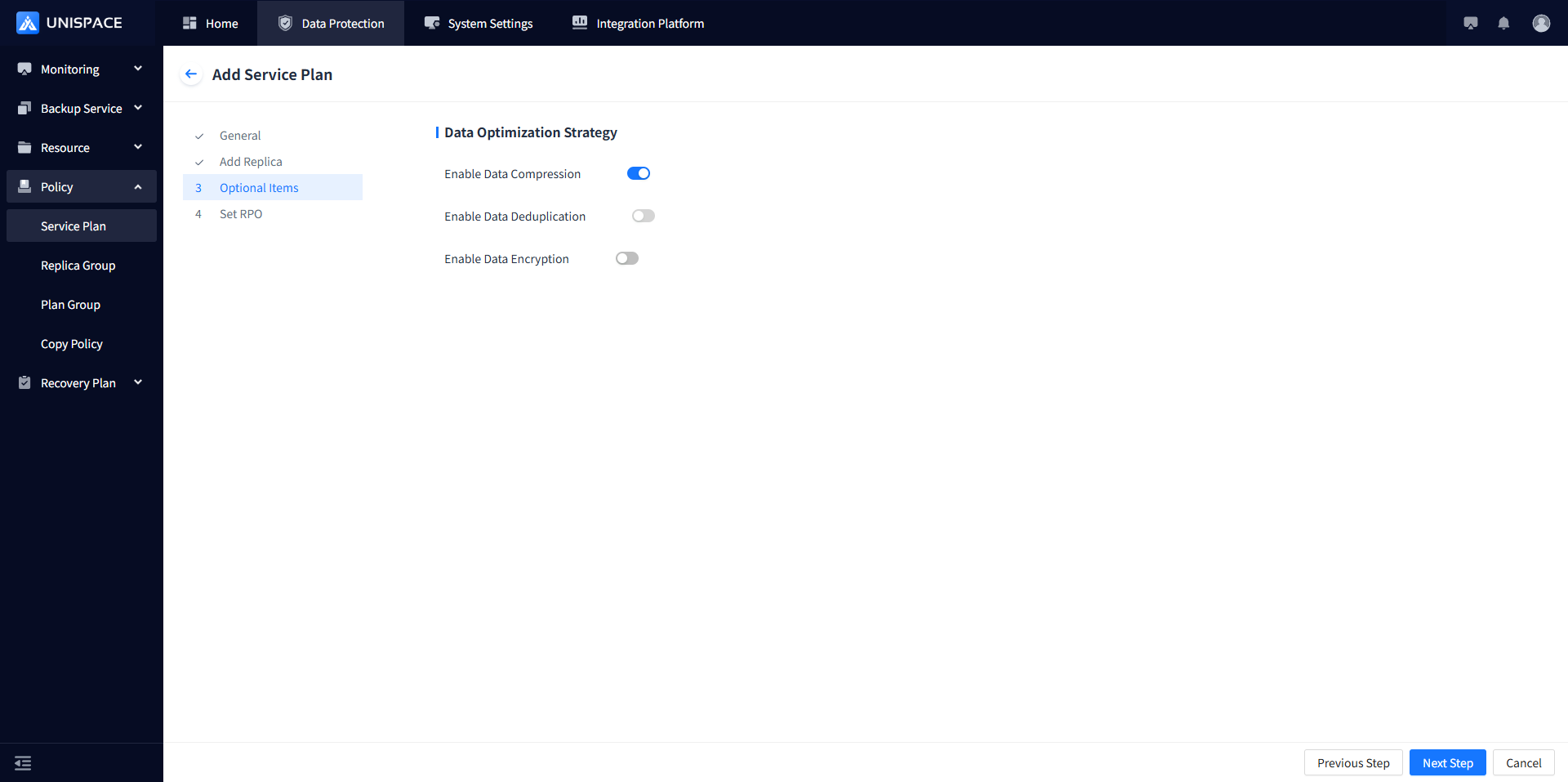
Step 4 Set the copy information. The related parameter descriptions are listed below:
| Parameter Name | Parameter Description | Setting Rules |
|---|---|---|
| Copy Name | Required. Customizable by the user. | Maximum length: 50 characters |
| Storage Pool | Required (single selection). | Select an existing storage Pool from the dropdown list. |
| Storage Node | Required. Will be automatically populated after selecting the storage Pool. | Automatically uses the configured storage Pool path. |
| Data Retention Rules | Options available: Retain by day and Retain by number of full recovery points. Jobs that exceed the retention rules will be automatically deleted. | 1. Retain by day – You can set a specific number of days or select "Permanent". 2. Retain by recovery point – You can set a numerical value. |
| Data Optimization Policy | Current optimization strategies include: Data Compression, Deduplication, Data Encryption, Hardware Encryption | Click the toggle button to enable an option and disable it by toggling off. For hardware encryption settings, please refer to the Sansec Encryption Configuration documentation. |
Step 5
Click Next Step to enter the RPO (Recovery Point Objective) settings page.
Click the Add button to add backup frequency. The page will display as shown below: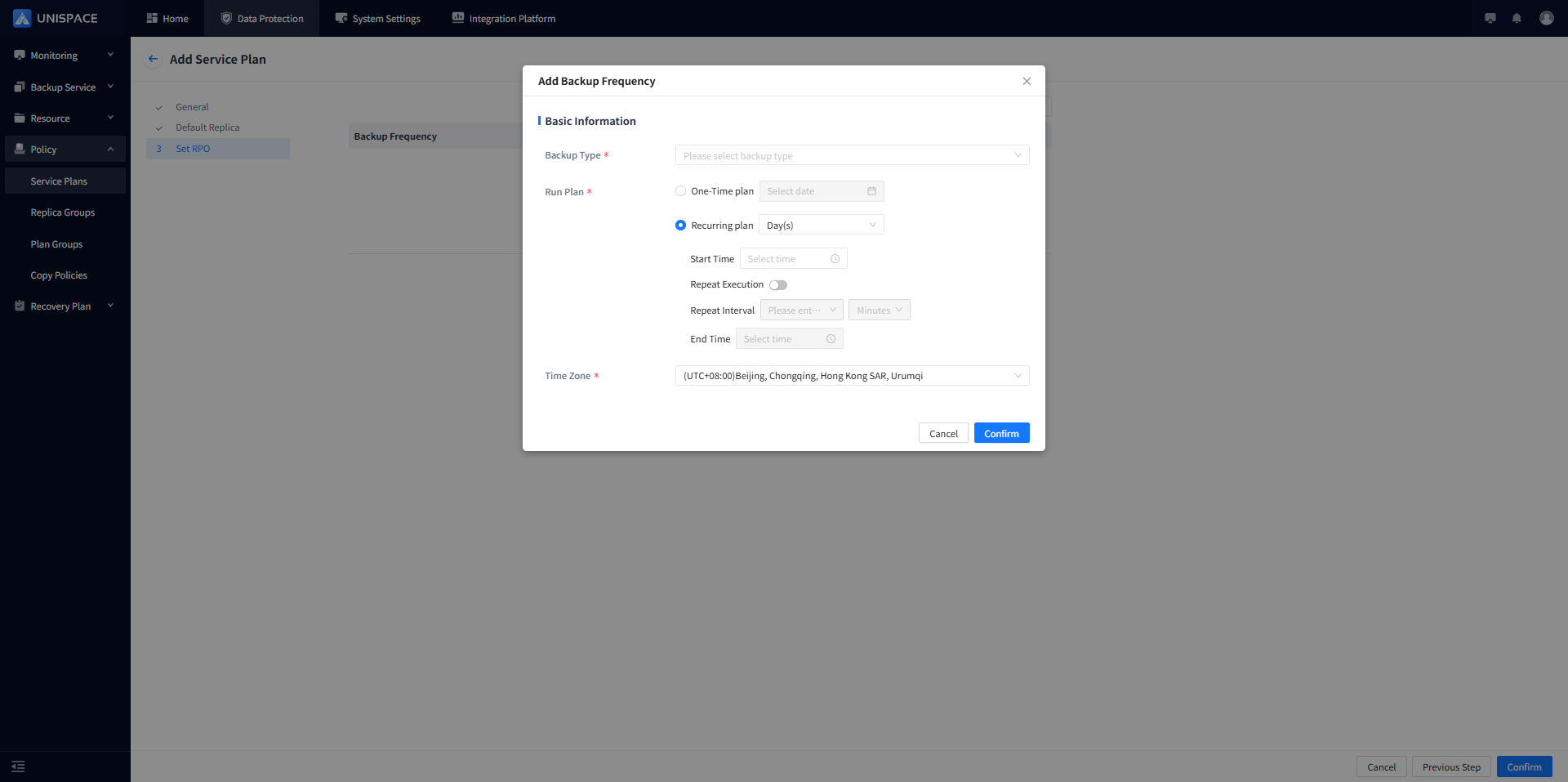
Step 6 Backup frequency parameter information:
| Parameter Name | Parameter Description | Setting Rules |
|---|---|---|
| Backup Type | Required. Choose between full and incremental backups. | Select from the dropdown list. |
| Schedule | Required. Refers to the interval between two runs. | Choose between a one-time or recurring schedule. One-time schedule requires setting a specific time; recurring schedule can be configured by day, week, or month. You need to set the start time, end time, and whether to repeat. If repeating, set the repeat interval. |
| Time Zone | Required. Defines the time calculation method. | Single selection from the dropdown. Typically select Beijing Time Zone. |
Step 7 Click Confirm to complete the service plan setup.
1.2 Service Plan Cloning
Prerequisites
- A service plan must have been already created.
- The management node version is 3.2 or later.
Steps
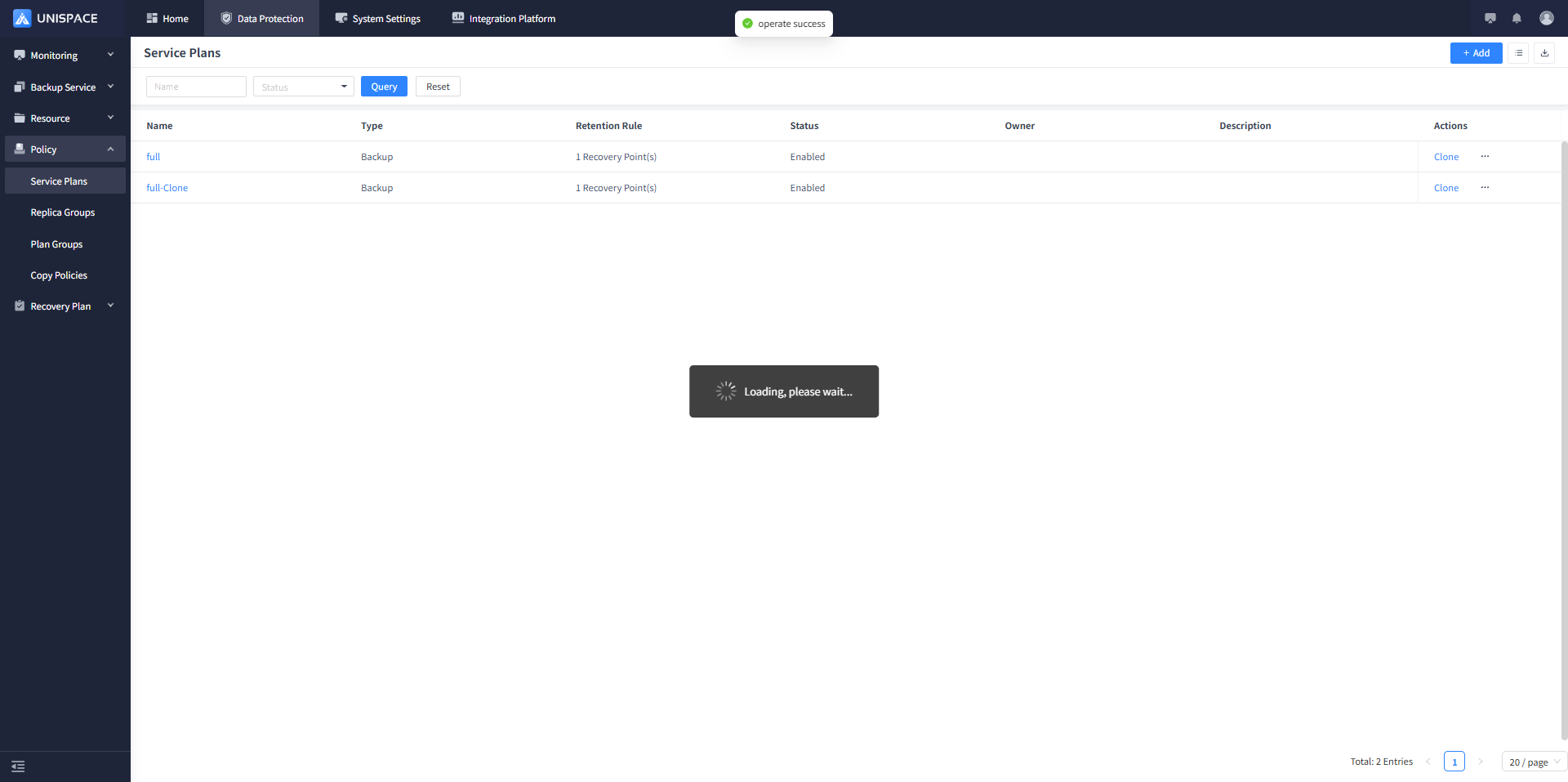
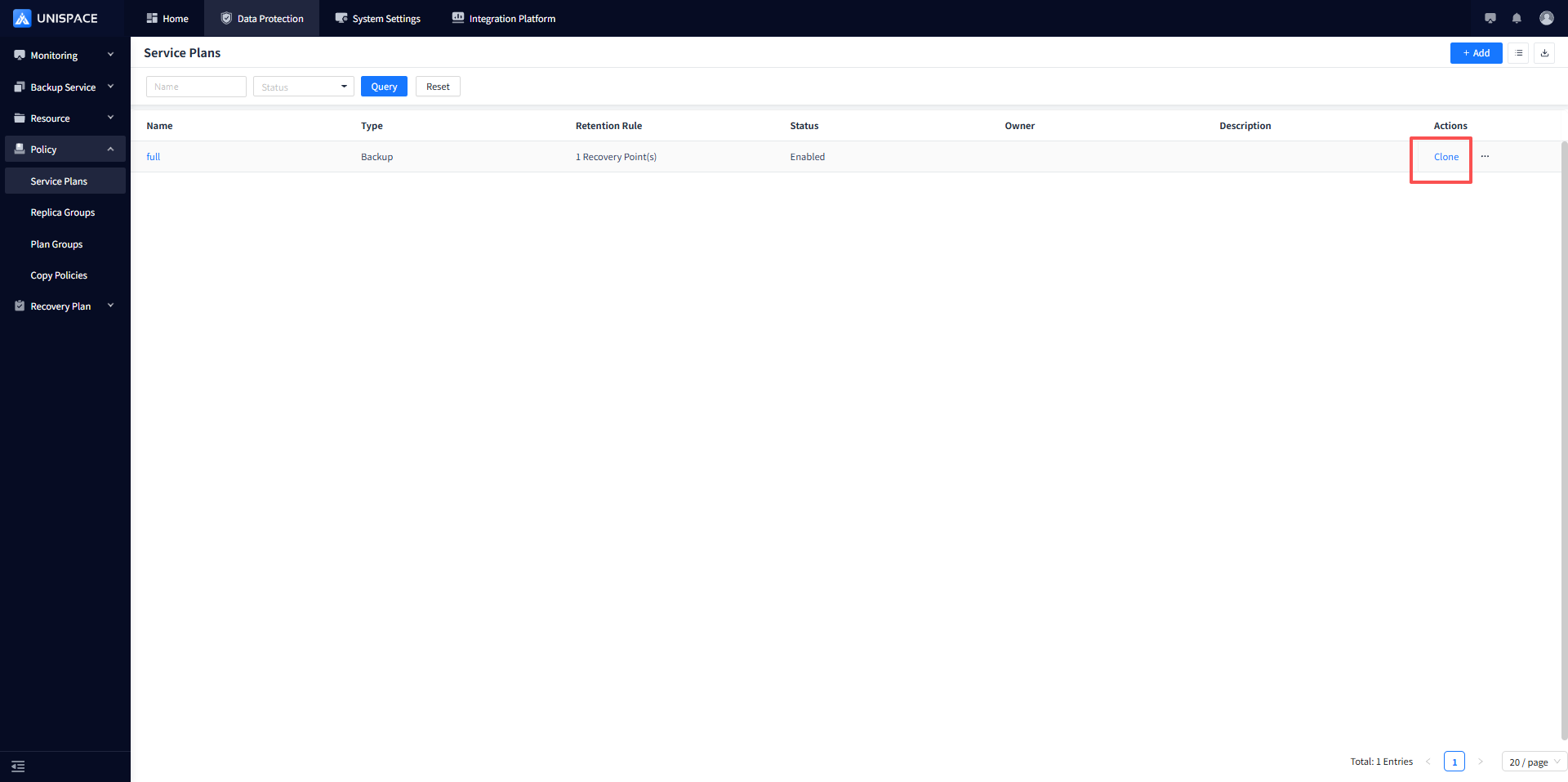
Step 1 Click Actions - Clone on the right side.
Step 2 Enter the new Service Plan Name and click OK.
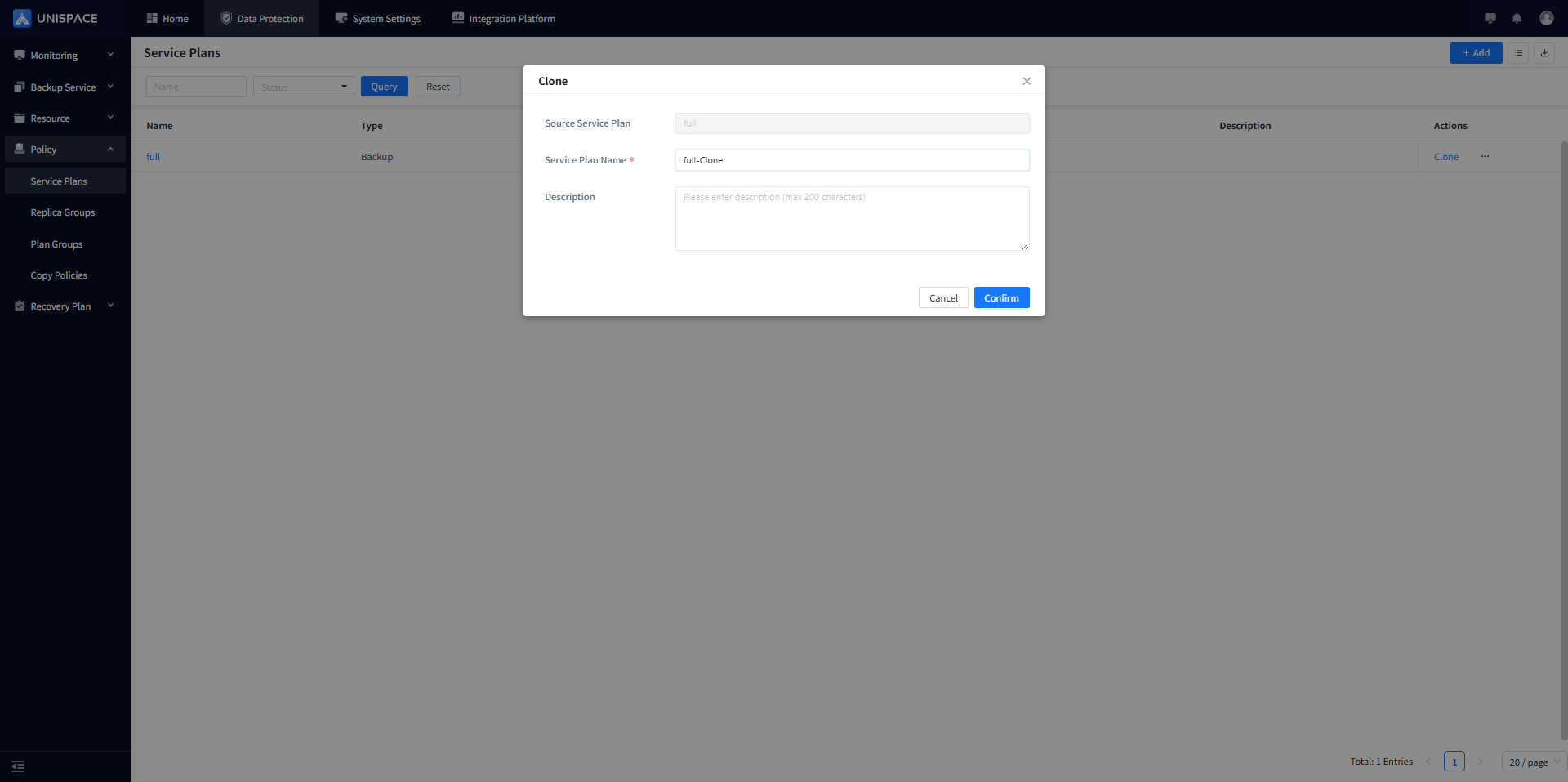
The service plan is cloned successfully.